Graphic design  →  3D  →  Realtime  →  Automation

Designed processes instead of manual control

I have worked in the visual field for close to twenty years. I started as a graphic designer, then moved towards 3D, and later towards realtime technologies and Unreal Engine. Over the past year and a half my focus has increasingly been on how AI can be used not only to create content, but to make entire workflows simpler and more efficient.

View the work

Visual communication & AI automation

01

Career

Over the past twenty years my career has followed the technological shift in visual content production.

Four stages with the same underlying logic: each technological shift did not take away the creative work, it shortened the time needed to carry it out.

01Printed brand material: a black laminated folder and its unfolded interior with product photography, devices and product copy.

2010 →

Graphic design & visual communication

I started as a graphic designer, working on advertising and communication materials. Alongside typography, brand identity and composition, this is where the mindset took shape that has guided my work ever since: a visual solution is never made for its own sake, it serves a communication goal.

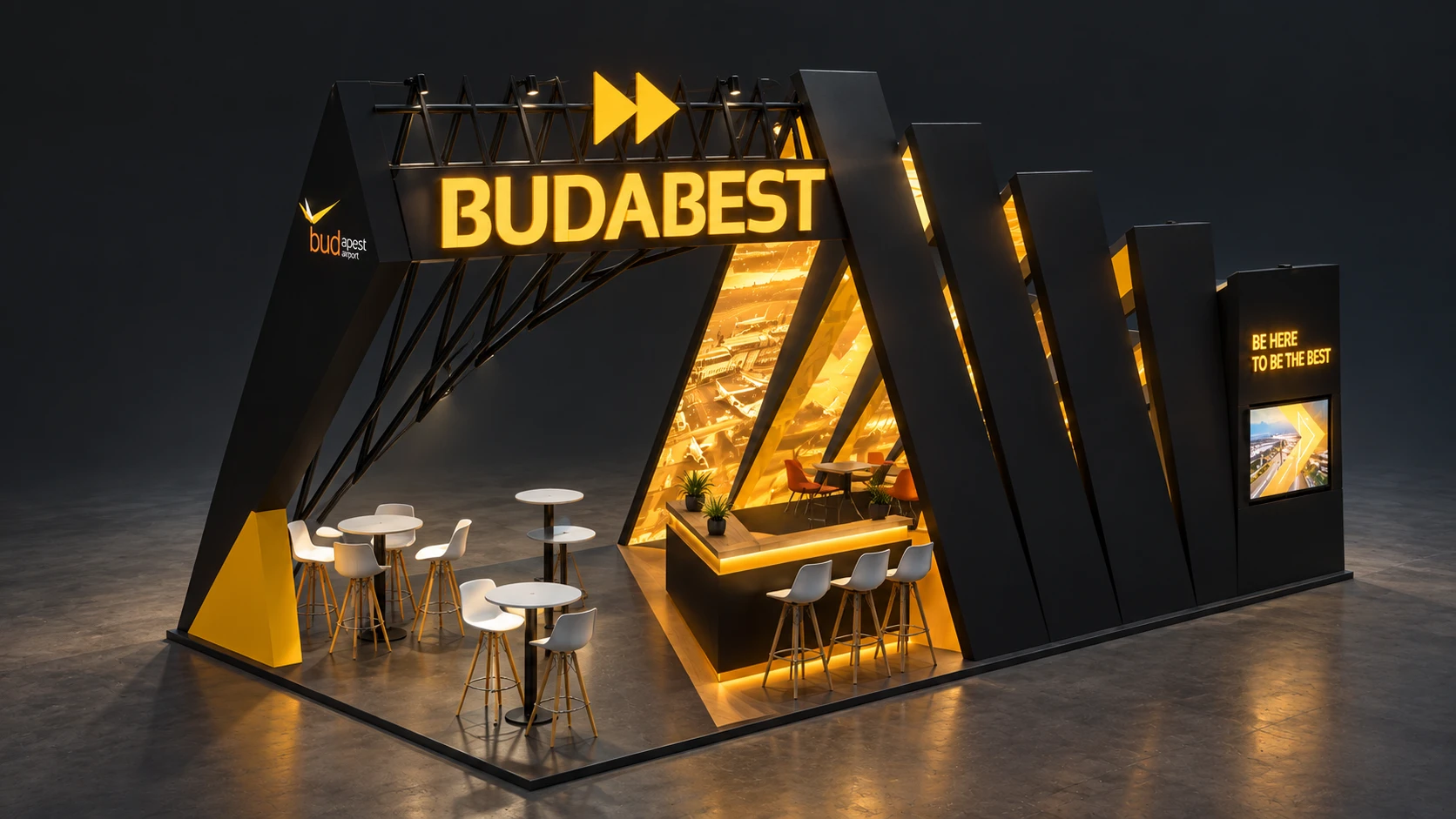
023D visualisation of an exhibition stand: a dark wedge-shaped structure with warm yellow interior lighting, counters, bar stools and a large illuminated sign.

2011 →

3D visualisation

Alongside graphic design work, 3D visualisation gradually became my main field. Modelling, lighting, materials, camera and rendering added new tools to the same visual thinking. Later, as an art director, I also worked on developing complex visual concepts: the single image was increasingly replaced by the complete visual space.

03

2021 →

Realtime 3D & Unreal Engine

My 3D experience expanded with realtime production knowledge: I began working with virtual environments, Unreal Engine and systems used in live production. Here the deliverable was no longer a single finished visual, but a system running in real time, where visual quality, technical reliability and the entire workflow are tightly connected.

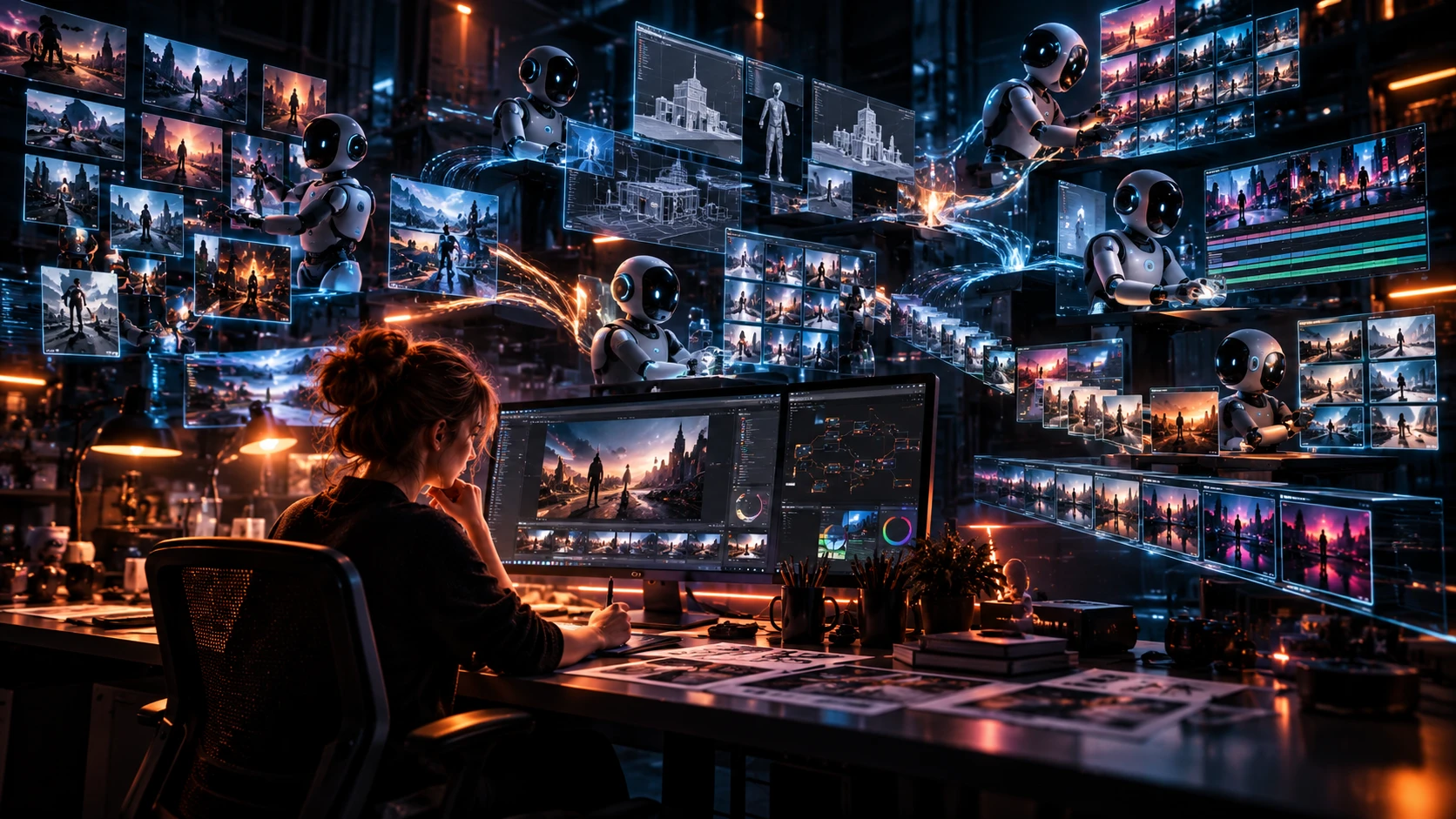
04A desk at night: someone working at a monitor, surrounded by floating screens showing generated scenes, node-based workflows and several robot assistants working in parallel.

2025 →

AI & visual process automation

In my work with AI, my focus has shifted from content creation towards rethinking entire production and communication processes. I work on AI-based tools and automations that make work more efficient by reducing manual, repetitive steps, while leaving more room for creative thinking, professional judgement and quality.

02

How I work

I don’t start from another tool.

First I look at how a given piece of work is produced today. Where is a real decision made? Where is creativity or professional judgement needed? And which are the steps where someone simply copies data, fills in a template, creates versions, exports or forwards something?

Those are the ones worth automating.

See it in the cases

Manual process

brief
gathering
data
filling
templates
versioning
export
sending out

Automated

brief
automated
production
approval
release

The point for me is not to end up with as few steps as possible. It is that the person stays in the process where they can genuinely add something.

Distribution of steps

human machine

Manual 6
Automated 4

Same output. The difference is not primarily the number of steps, but which step still carries a human decision — and what is freed up in place of the rest.

03

Case studies

Good automation starts with understanding the goal.

The following case studies are based on real projects, presented without confidential information or specific business details.

The focus is on the problem to be solved, the thinking behind it, and how the resulting solution works.

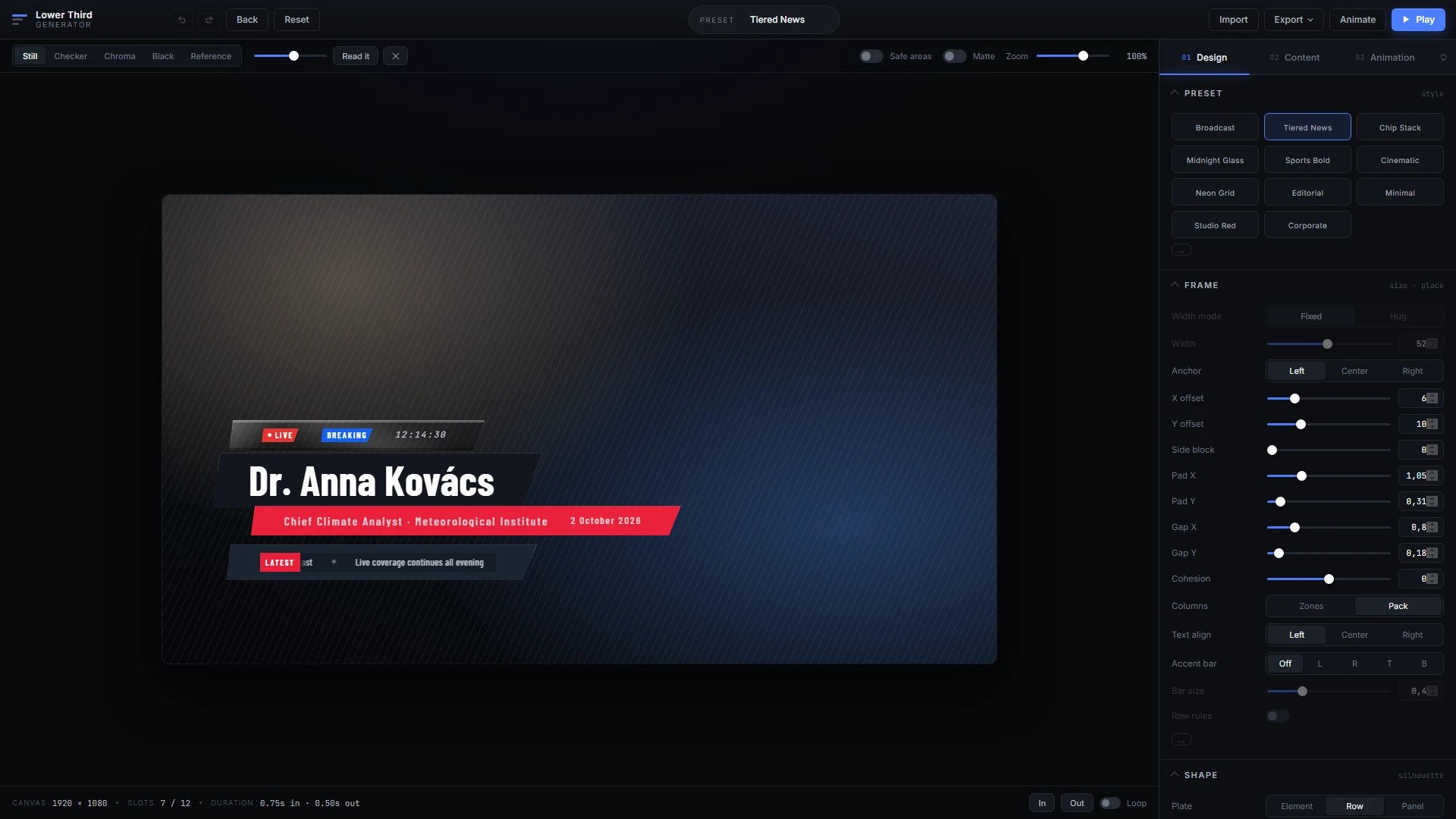
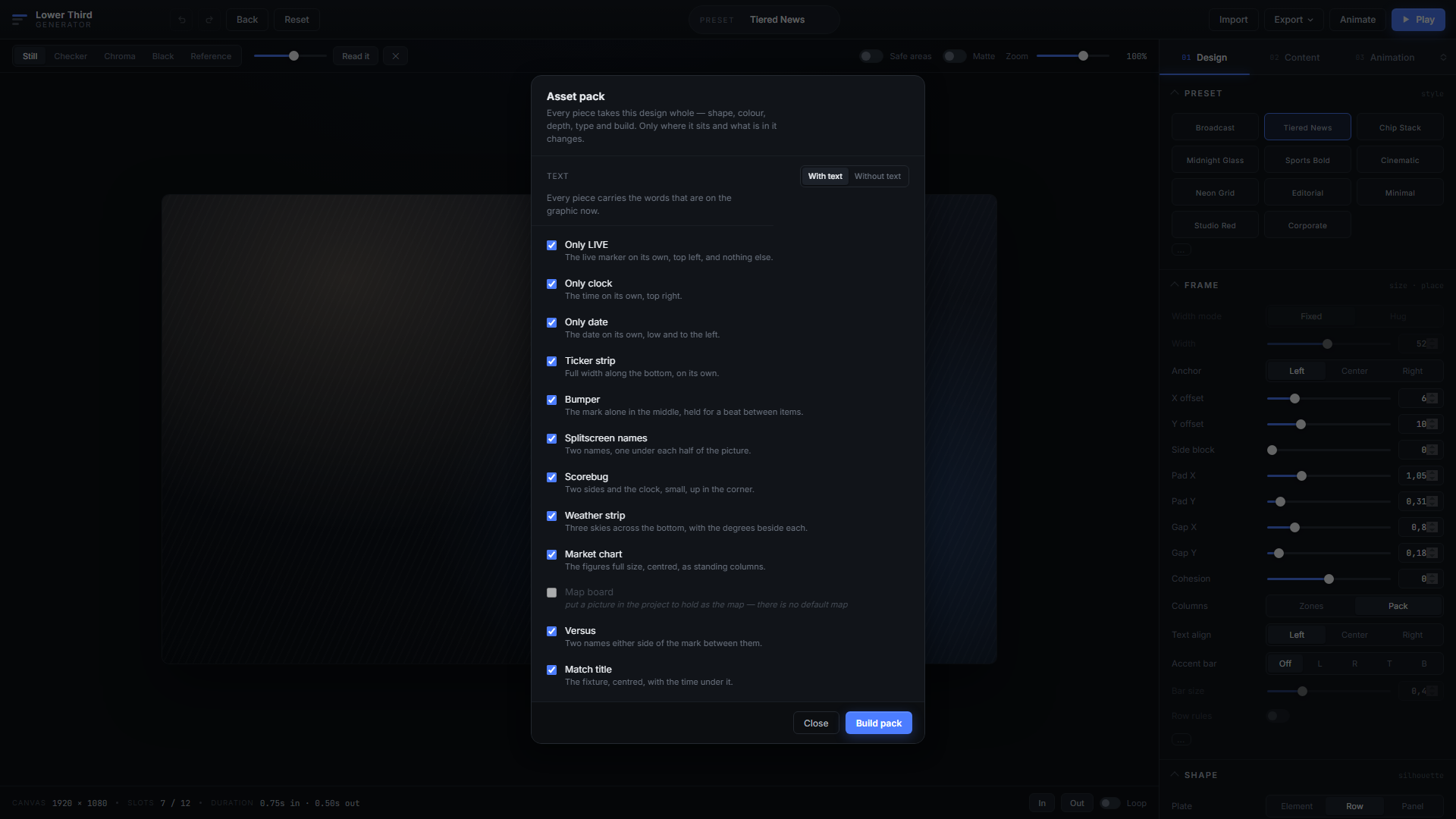
A browser-based broadcast graphics designer: on the left a lower third on the canvas with a name, a title and a ticker strip; on the right the design parameters with sliders and style presets. The asset pack dialog: a list of twelve elements with checkboxes, each with a sentence describing what that graphic shows, and a build button at the bottom.
01Visual content production

One design, twelve finished broadcast graphics

Starting point

A broadcast package is not a single lower third: it includes the LIVE marker, clock, date, ticker, bumper, splitscreen names, scorebug, versus and match title. Designing, adapting and animating all of these is traditionally a long process, and at every single element you have to make sure the same visual system still holds.

The problem is not only the time it takes. The more elements and versions are produced, the harder it becomes to hold on to the same design decisions consistently.

Solution

A browser-based designer in which the shape, colour, depth, typography and animation of the graphic are handled as a single design state. The design remains a human decision: I define the visual direction, and the system carries it through the entire broadcast package consistently.

This removes the need to design and animate every graphic element separately. A complete 4×3 package can be produced from one visual concept in a short time, and markedly different design directions can be created just as quickly.

Outcome

Instead of a long editing and animation process, the focus of the work moves back to where the real creative decision happens: the design.

Several complete visual directions can be produced and compared in a short time, so there is no need to build on the first solution that works — the one that genuinely suits the show can be chosen.

The selected design then produces the entire broadcast package within one consistent system.

Where AI helps

In the variations, versions and content variables. AI does not make the design decisions. The person defines the visual system, and AI takes over the work needed to reproduce it consistently.

Creative time is no longer spent manually editing and animating twelve elements, but on exploring, comparing and refining different visual directions.

The person designs the system. AI produces the variations.
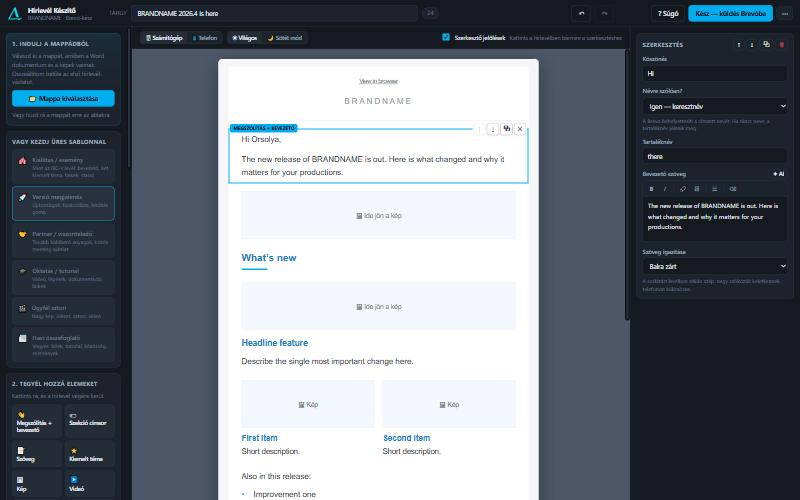
A browser-based newsletter editor: templates and insertable blocks on the left, a live preview of the editable letter with a selected block in the middle, and the fields of that block on the right.
02Internal communication

The newsletter that starts in Word and ends in Brevo

Starting point

The newsletter copy was written in Word, but someone had to assemble the sendable HTML for Brevo by hand. Every round of revisions meant re-laying it out, and a significant part of the sales and marketing team’s time went into a technical task that did nothing in itself to deliver the message better.

Less editing. More attention on the message.

Solution
A browser-based editor that only needs a folder: it builds a draft from the Word styles – section headings, featured topic, bullet lists, link lists, personalised greeting, signature – places the images by filename, and outputs HTML ready to paste into Brevo, merge tags included. It runs with no installation, no login and no internet connection.
Outcome

Producing a newsletter turns from a technical implementation task into a communication task. Colleagues no longer deal with HTML, layout and assembling individual elements by hand, but with what is genuinely their job: how the newsletter should be structured so the message reaches the reader as effectively as possible.

The time freed up can go into content hierarchy, emphasis and structure, while the system makes sure the result arrives in Brevo in technically correct form.

Where AI helps

By taking over the technical editing and the repetitive steps. Content and communication decisions stay with sales and marketing; AI helps so that carrying them out no longer requires going through the full manual layout and formatting process every time.

We don’t hand the message over to AI. We give people the time to build a better one.

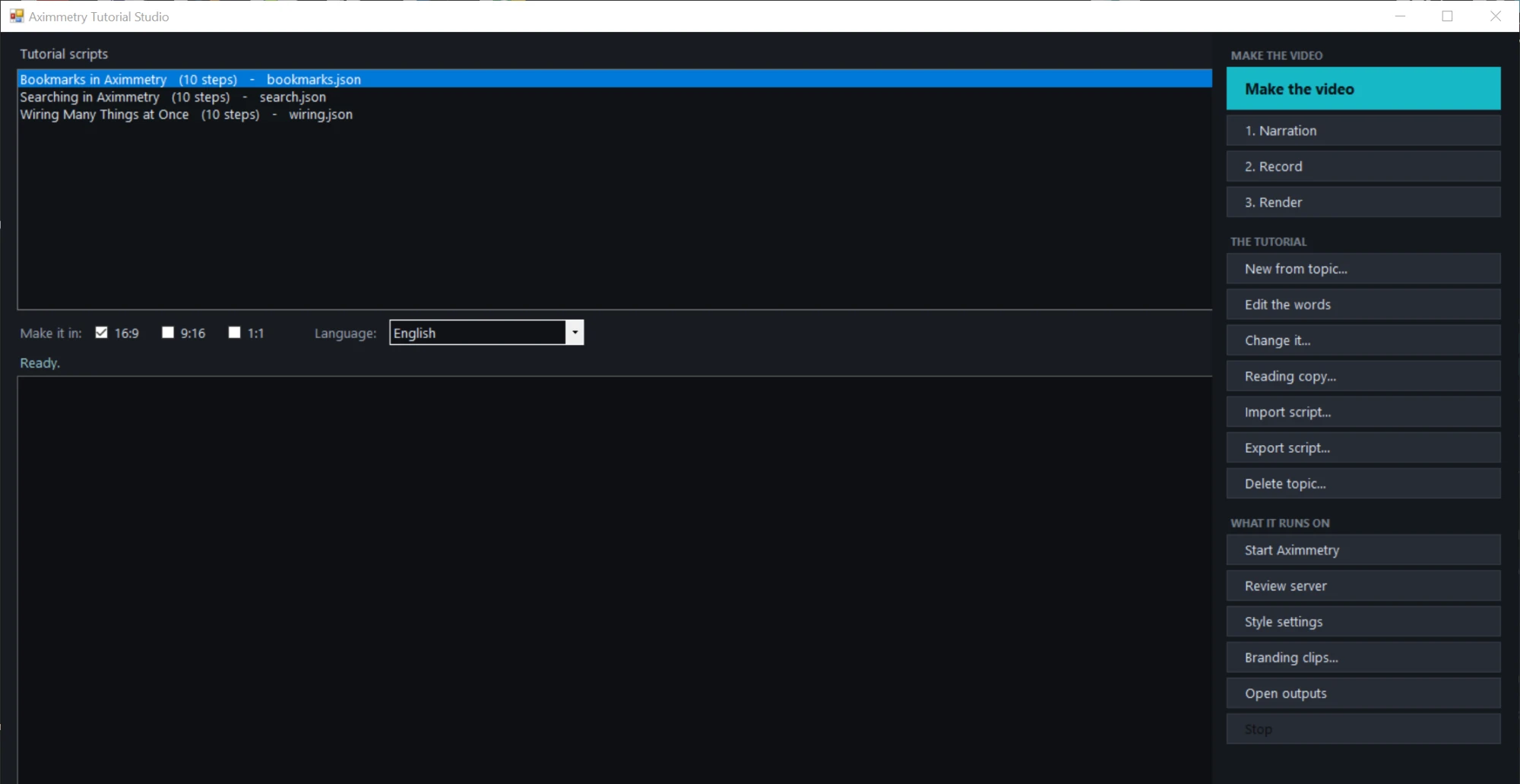
The window of a tutorial video production tool: a list of scripts with step counts on the left, buttons for narration, recording and rendering on the right, and format and language selectors below.
03External communication

Verified knowledge into automated content

Starting point

Producing a professional tutorial involves many dependent stages: researching the topic, writing the script, recording the right steps, narration, editing, subtitling and post-production. When the same is needed in several languages or formats, a large part of that production work repeats for every variant.

For a learning resource, however, production speed is not the primary concern. The content has to be accurate and verifiable, since the company is teaching about its own product.

Solution

From the given topic, the system assembles the step-by-step script using the product documentation, the actual key mapping and information from the open scene. It then checks the statements it has produced back against those same sources, and anything that cannot be verified is not allowed further into production.

Once the script is verified and approved by a person, the rest of the production can be automated: the narration is generated, the system performs and records the required steps in the software, then produces the edit, the framing, the subtitles and the audio mix. The same process can be re-run in different languages and output formats.

Outcome

The expert’s time no longer goes into the repetitive technical steps of video production, but into where their knowledge is genuinely needed: reviewing and approving the content.

From one verified body of knowledge, several finished content variants can be produced without going through the full manual production process for every new language or format.

Where AI helps

In processing the knowledge and producing the verified content. From the sources made available to it, AI builds the structure and script of the tutorial, checks its statements, and from the approved content produces the basis for the narration and the localised versions.

The expertise, the control and the final decision stay with the person. AI does not replace the expert — it turns their verified knowledge into finished content.

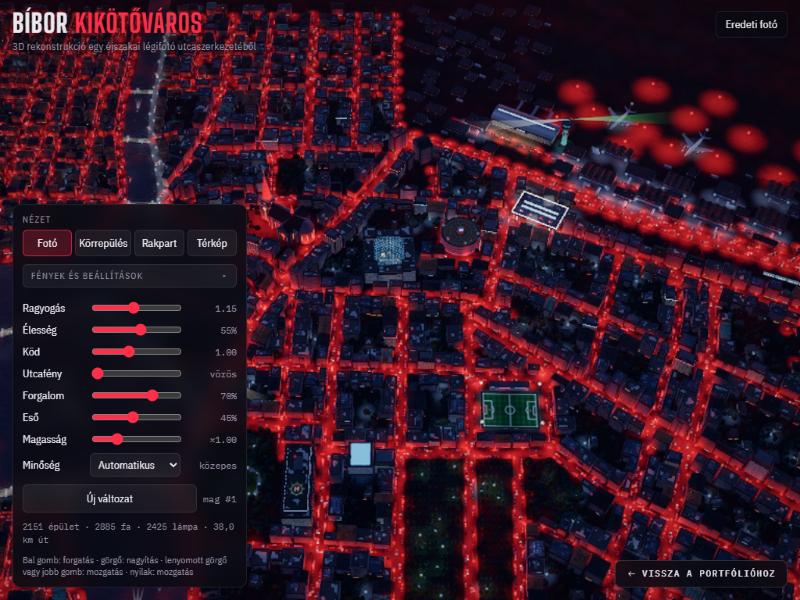
A realtime 3D night city running in the browser: wet reflective streets under red lamplight, generated building masses, and a control dock in the lower left corner.
04Realtime 3D · experiment

A night city, in the browser, in real time

Starting point

Starting from the street layout of a night-time aerial photograph, the question was how far the spatial logic of a real district can be carried into realtime 3D that runs in a browser — with no plugin, no install and no download.

Solution

A WebGL scene in which the road network, the plot division and the building masses are generated from a rule system rather than modelled by hand. PBR materials, wet reflective asphalt, bloom, haze, moving traffic and rain.

Four camera views; lights, haze, traffic and building height on sliders; and a “new variant” button that rebuilds the entire city from a new seed.

Outcome

A single HTML file that starts in any modern browser and produces a different city on every regeneration from the same rule system.

Open the city

Where AI helps

In the entire implementation. The geometry, shaders, materials and controls were built with AI. I provided the reference photograph, the spatial logic and the visual direction, and judged the result at every iteration.

The same method as at work: the system and the standard come from a person, the execution from the machine.

04

What I believe

Not fewer people. More human contribution.

For me, one of the most important questions about using AI in a company is not which roles it can replace, but which tasks within a given role are worth handing over to it — and where that creates more room for human expertise.

In everyday work, a significant amount of time goes into necessary but repetitive tasks that do not actually require the professional experience, creativity or judgement that put that person in that role in the first place.

If we automate part of those, the value of AI for me does not necessarily lie in having fewer people do the same work. It lies much more in the same person being able to give more time and attention to what genuinely needs them.

Thinking. Ideas. Decisions. Experimentation. Looking for new directions.

This is why I increasingly think in hybrid workflows. Not in AI taking over an entire role, but in distributing tasks more deliberately between people and technology.

Technology handles the steps that can be automated. The person stays in the process where their experience, understanding of context, creativity and judgement genuinely add value.

“I’d have a better idea for this, I just don’t have time to do it.”
→
“I have time to think it through, try it and develop it further.”

For me this is where one of the biggest opportunities of bringing AI into a company lies: not simply making existing work faster, but rethinking what we spend human capacity on.

The question is not people or AI. It is which of them should do what within the same process.

05

Toolset

Four layers, one body of work.

Layer 01

Visual

  • brand identity
  • typography
  • layout
  • motion
  • compositing
Layer 02

3D & realtime

  • Unreal Engine
  • realtime pipeline
  • virtual studio
  • lighting
  • shaders
Layer 03

AI & automation

  • process mapping
  • system and prompt design
  • generative image and video
  • text-based content production
  • connecting tools
Layer 04

Alongside

  • strategic thinking
  • problem solving
  • process development
  • communication
06

Personal projects

AI-based experimental projects

In my own projects I explore how far a complex digital production can be built on AI-based workflows. The current testing ground is PC game development, where I apply AI tools across the entire production process, from code and visual content through audio to level building.

The goal is not the game itself but testing the methodology: how different AI tools can be connected within a complex workflow, which tasks can be automated reliably, and at which points human concept work, decision-making and quality control remain decisive.

These projects let me test new tools, working methods and automation approaches without constraints. What I learn here feeds back into designing corporate and visual communication processes.

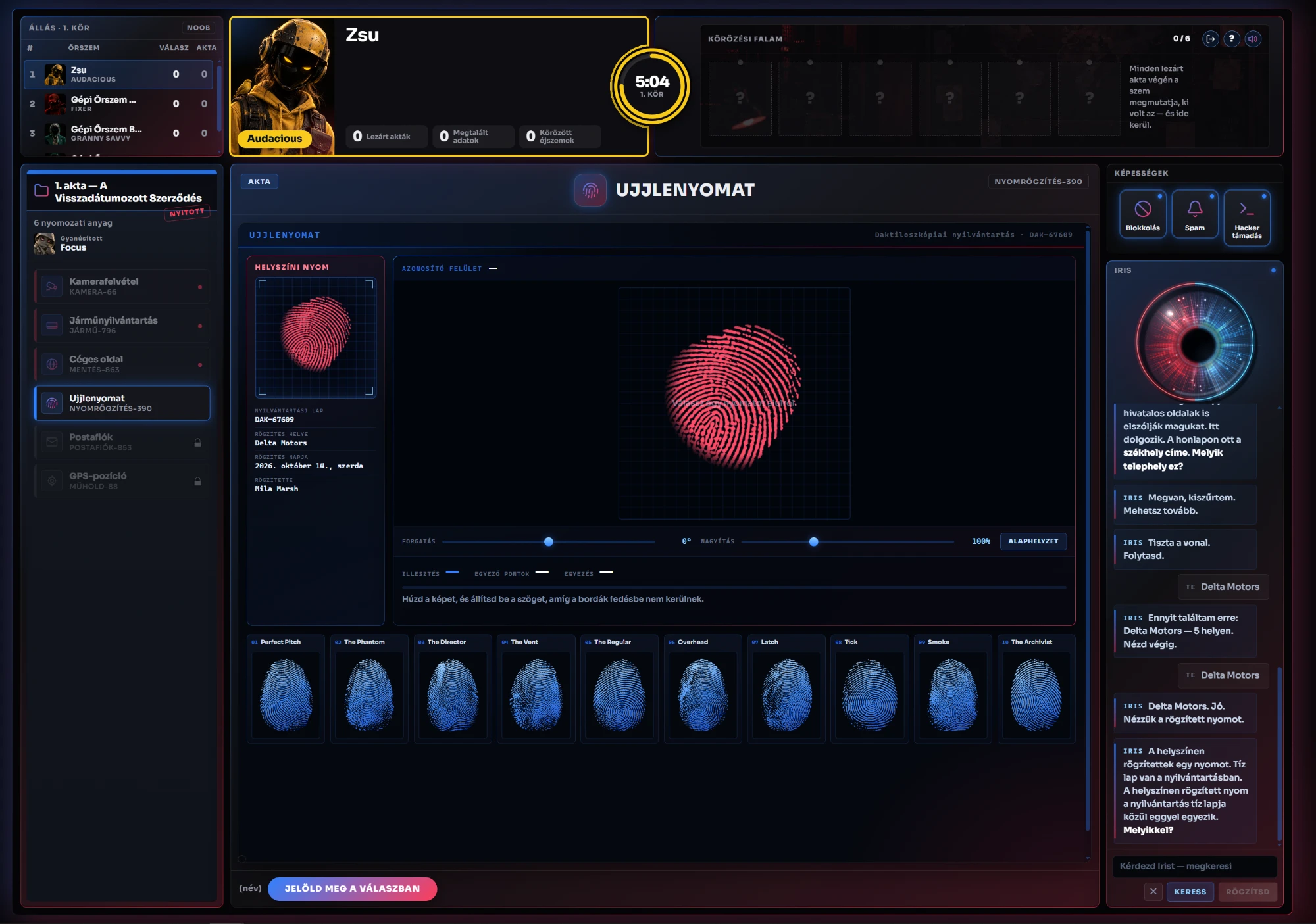
Experimental project screenshot
Screenshot of the user interface of a personal experimental project.
A custom graph engine: generated, logically closed content instead of hand-written paths built entirely on an AI-based workflow

The generator engine

The value of the project is not the content but the generative system behind it: a directed graph with 10 variables, in which 22 node types are connected by 27 rules and 64 in→out transitions.

10² 10⁴ 10⁶ 10⁸ 22 NODE TYPES 64 TRANSITIONS 10,348 VALID PATHS 2.8 × 10⁸ UNIQUE VARIANTS

Filtered by the edge rules, this yields 10,348 valid paths of 4–6 elements. Since every node type has its own question set (104 question forms, 1–12 per type), the engine produces 2.8 × 108 structurally distinct runs that remain solvable from start to finish.

The point is not the scale but the method: instead of a hand-written, finite list of content, it generates a practically inexhaustible set from a closed grammar, with every single output staying logically coherent and completable. The same question sits behind corporate content production: how to produce bespoke material from a rule system rather than one piece at a time, at consistent quality.

Contact

I’m interested in work where visual communication, creativity and technology meet — and in automating those processes.

I’m drawn in particular to projects and fields where the goal is not only producing content, but where there is both the opportunity and the need to rethink the production workflows behind it: simpler, higher in quality, more creative and more efficient.

Get in touch

gurubi@no22.hu
+36 20 310 1680
Budaörs, Hungary  ·  remote